Payment options on the App Store in Japan
The App Store provides multiple ways for developers to sell digital goods and services that users can discover and enjoy using Apple’s tools, technologies, and services. Now with iOS 26.2 and later, there are more ways to process payments for digital goods and services, which include business terms that apply to apps distributed in Japan.
What’s new
- Apple In-App Purchase. You can continue using Apple In-App Purchase, which is convenient and easy for users. It offers worldwide end-to-end payment processing, foreign currency exchange, tax support, customer service, and more. No changes are required on your part.
- Alternative payment options. In addition to Apple In‑App Purchase, you can provide:
- In-app payments using an alternative payment processor.
- Out-of-app offers that direct users to purchase digital goods and services available on a website in a web browser, whether or not you use an actionable link.
When using alternative payment options, you must include the StoreKit External Purchases or Offers Entitlement in your app. Depending on the payment options you implement, commission rates will apply. For details, see the Commissions, reporting, and payments section below.
Important considerations when providing alternative payment options
Providing alternative payment options in your app for digital goods or services can create new threats to user security and privacy, and may compromise the user experience. If you’re considering one of these alternative options, understand that some OS or App Store features may not work as users expect. Helpful App Store features — like Report a Problem, and Family Sharing — will also not reflect these transactions. Users may have to share their payment information with additional parties, which could create more opportunities for bad actors to steal sensitive financial information. And on the App Store, users’ purchase history and subscription management will only reflect transactions made using Apple In‑App Purchase. It will be more difficult for Apple to support or refund customers encountering issues, scams, or fraud.
If you choose to offer alternative payment options in your app, you’ll also be responsible for managing payment or billing issues, taxes, and other features currently supported by the Apple In-App Purchase. In addition, you’ll be responsible for complying with all applicable laws and regulations related to payment processing, cancellation of transactions, refunds, privacy, etc.
Design and experience guidelines
Apple In-App Purchase branding
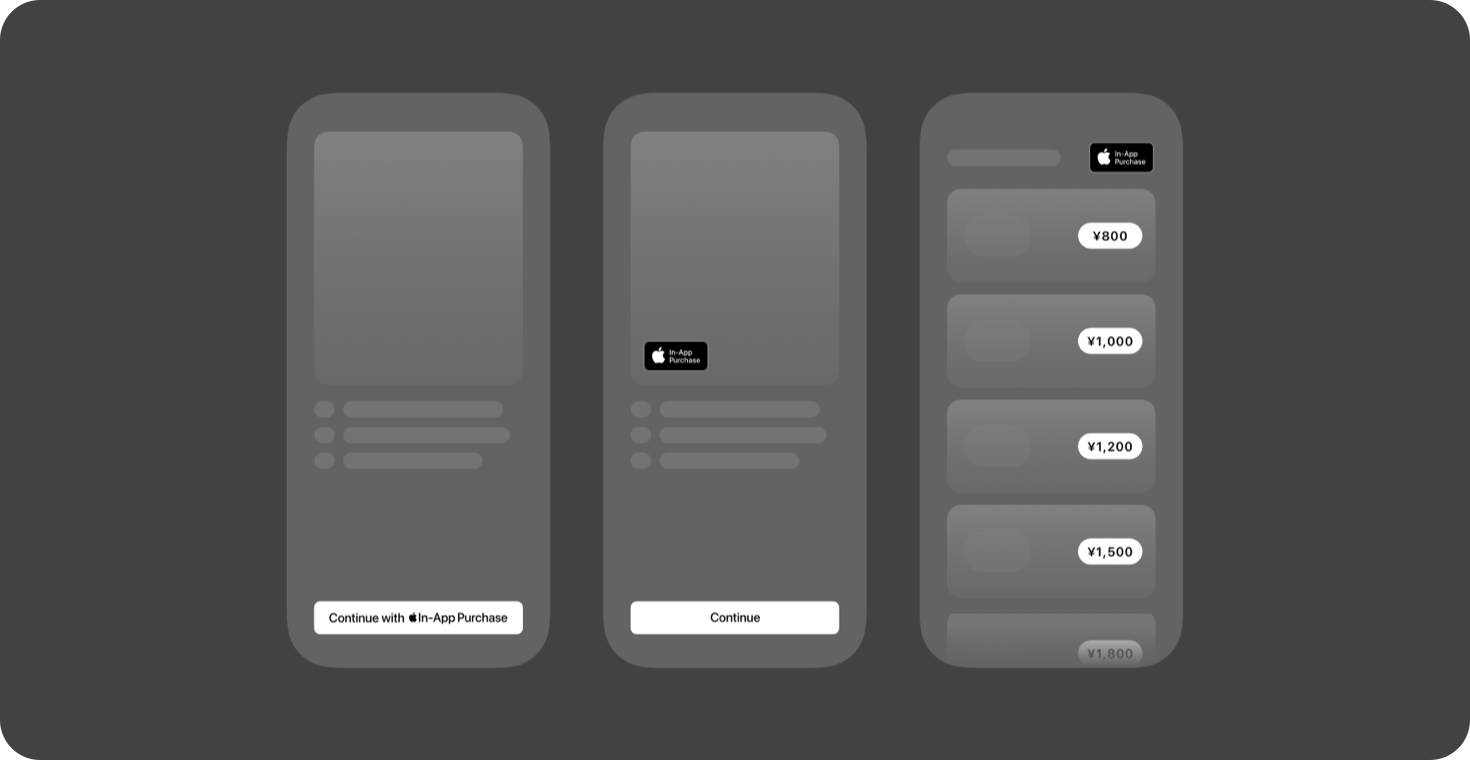
To make it easier for users to identify when they’re using Apple to complete the purchase of digital goods and services, we’re providing developers an Apple In-App Purchase mark and badge.



Localized artwork. Always use the Apple-provided versions of the mark and badge artwork, and do not create your own localized versions.




Using the mark and badge. When only offering Apple In-App Purchase in your app, it’s recommended that you use one of the Apple-provided marks or badges in your button or interface. If you provide an alternative payment option for digital goods and services, you’re required to also present Apple In-App Purchase as an option. For details, see Alternative payment option requirements below.
Alternative payment option requirements
To provide a consistent and transparent user experience when offering alternative payment methods for digital goods and services within your app, you’re required to also present Apple In-App Purchase as an option at the same time when:
- Offering in-app payments using an alternative payment processor.
- Directing users out of your app with a link that opens in a web browser app to a website where users can buy digital goods and services.
Your app must adhere to the following guidelines:
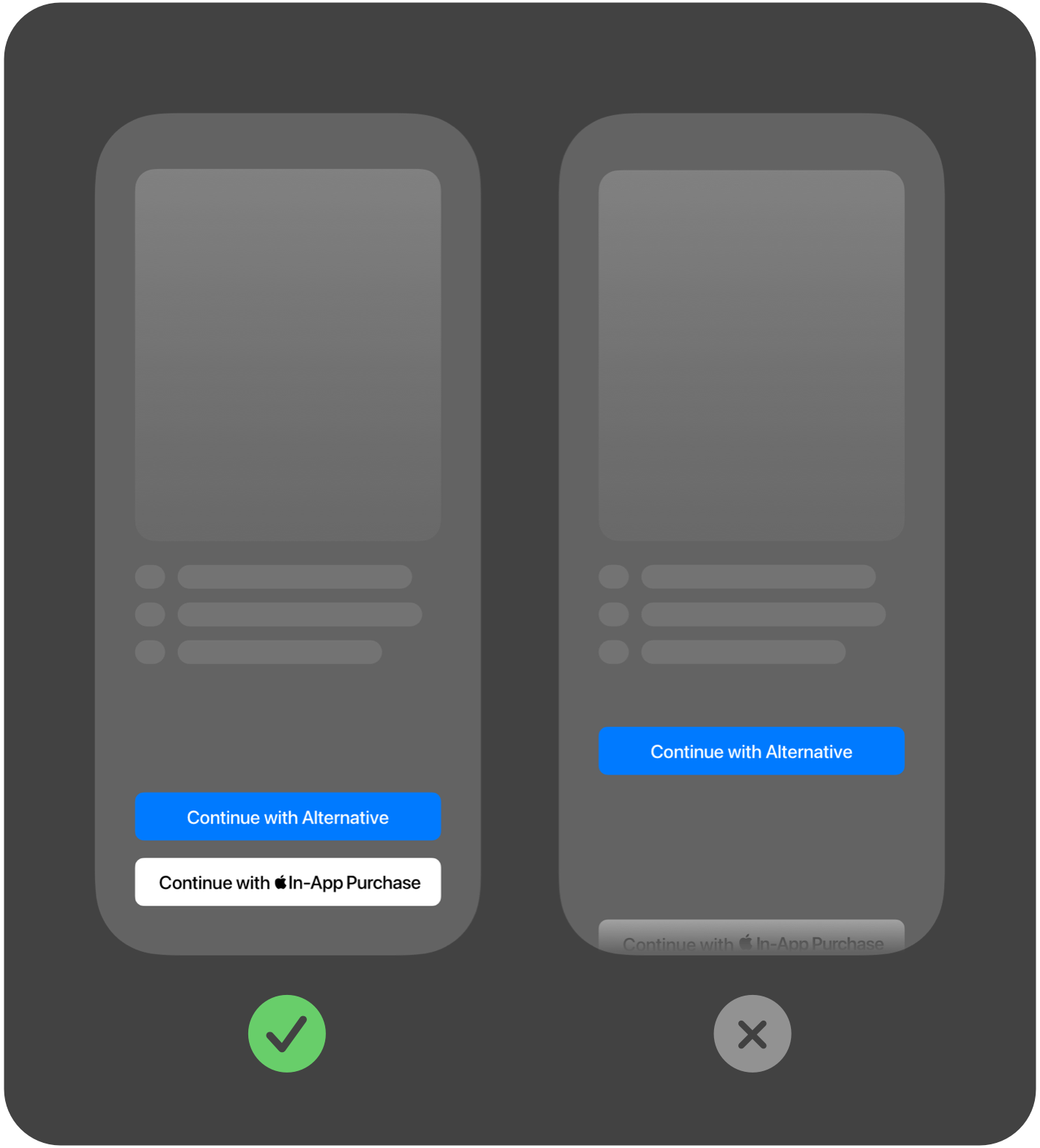
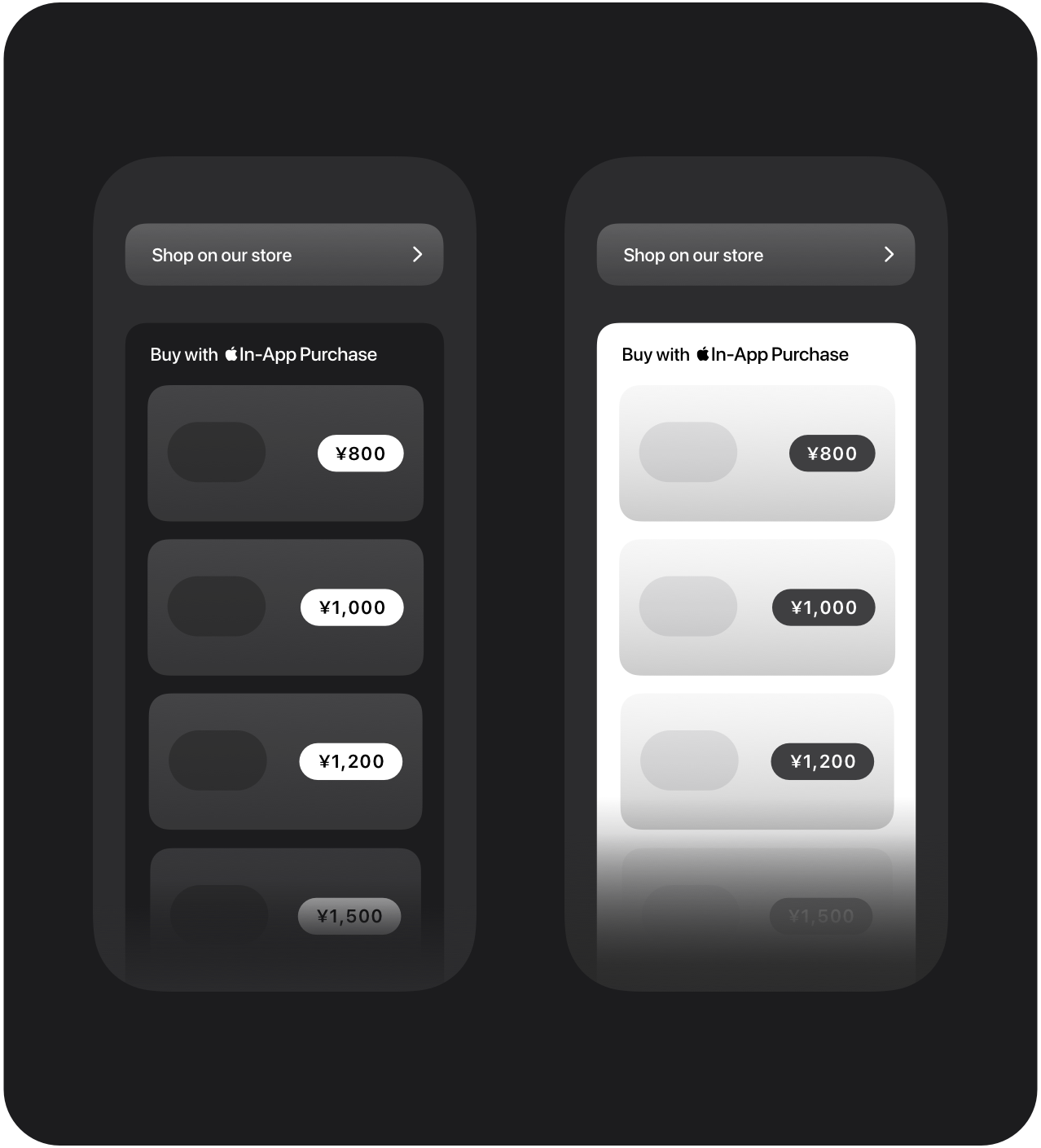
- Apple In-App Purchase must be provided as an option on every screen where your app merchandises a digital good or service for purchase and offers a payment option.
- Alternatives to Apple In-App Purchase may be shown with colors or designs that correspond to the branding of their app or payment option.
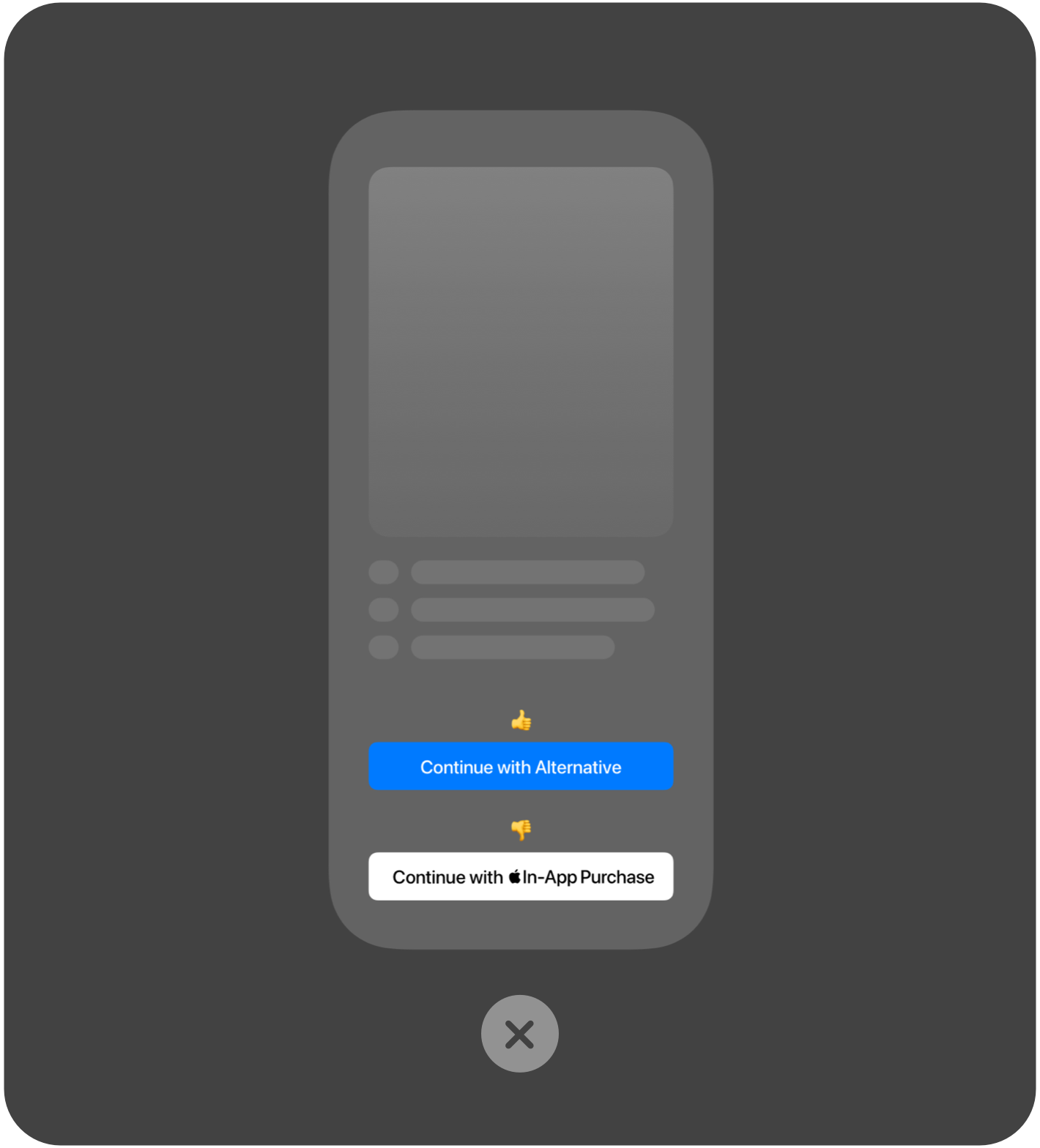
- Apple In-App Purchase must be displayed at least as prominently as any other payment option shown. Prominence is determined by the overall experience. Factors include, but are not limited to, layout, language, font style, color, and size.
- Use Apple-provided In-App Purchase artwork in your button or interface. The button or interface background color must be either black or white; don’t use custom colors.
- If Apple In-App Purchase buttons are not individually branded, they must be grouped together within a branded container. That container’s branding must be displayed at least as prominently as any out-of-app offer link shown alongside it.
- Different prices and benefits for alternative options can be included.
- Payment flows may not discourage or disrupt the use of Apple In-App Purchase.
- Your app’s App Store product page may not include information about purchasing on your website or with alternative payment processing.
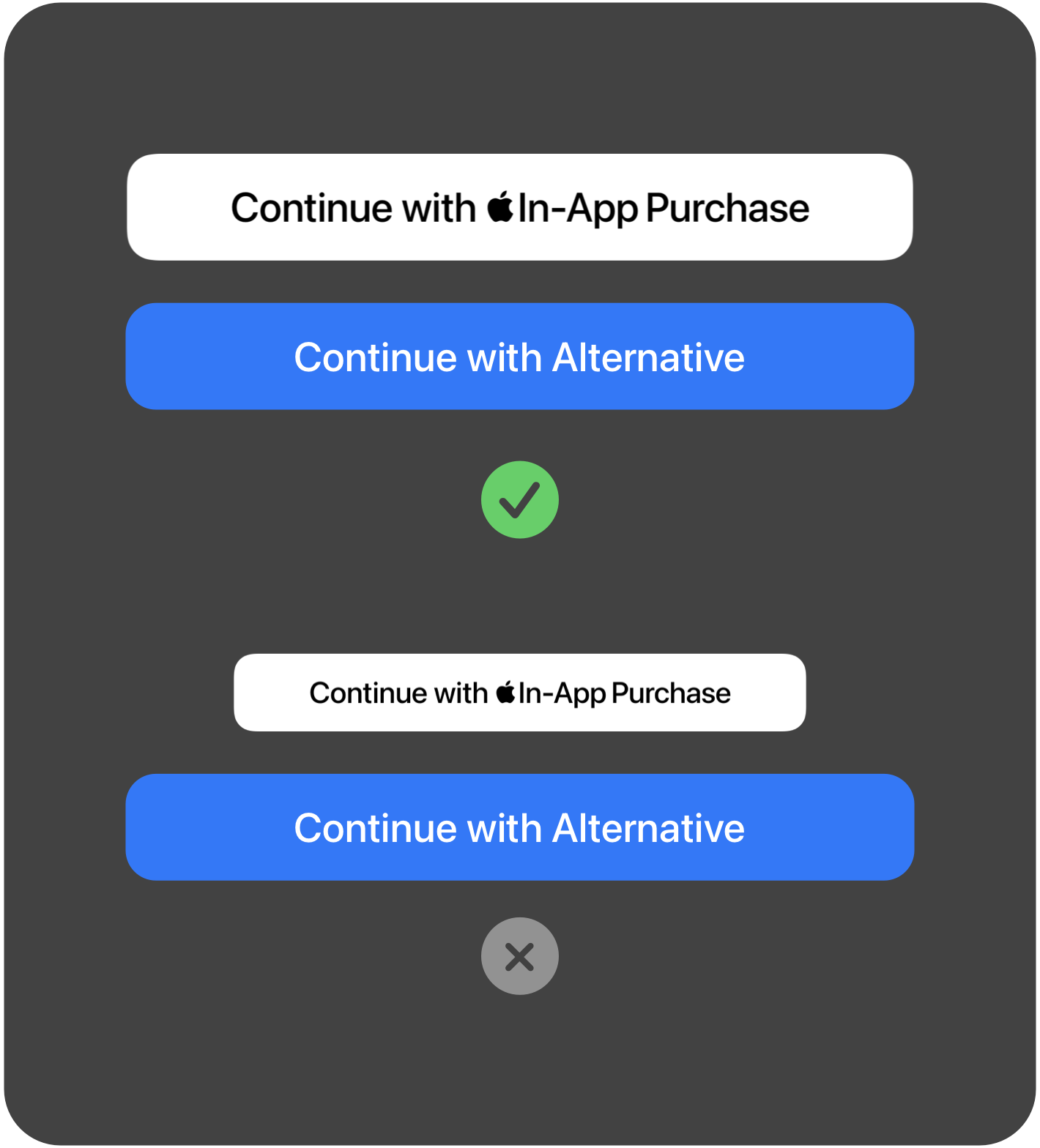
Apple In-App Purchase buttons. Use the provided Apple In-App Purchase artwork to create an Apple In-App Purchase branded button for your app. These marks are available in multiple languages, in both black and white, and for use within standard iOS style button designs or custom button designs.
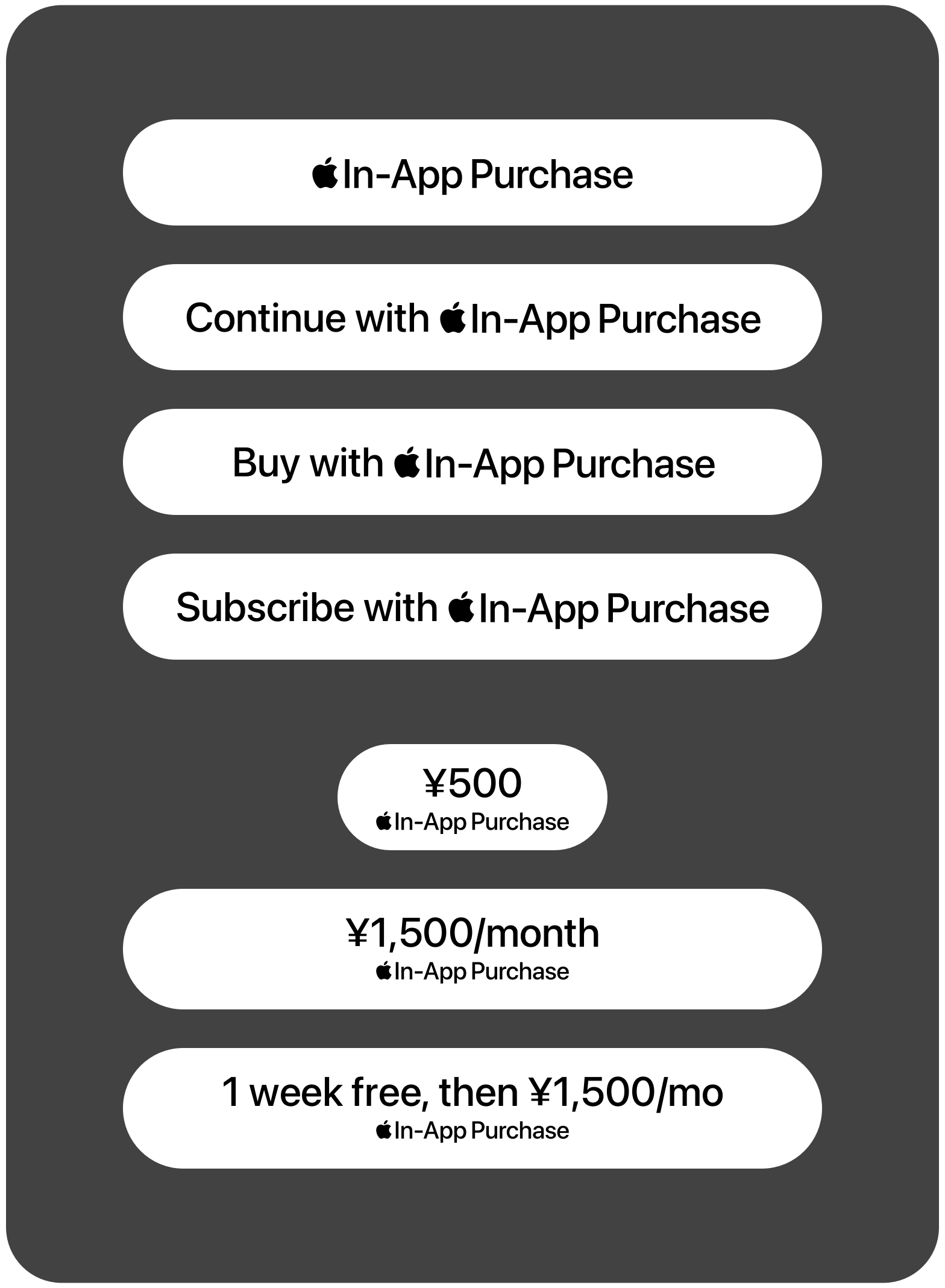
Standard iOS buttons
Use SF Pro for your button’s text to match the typeface of the Apple In-App Purchase mark.
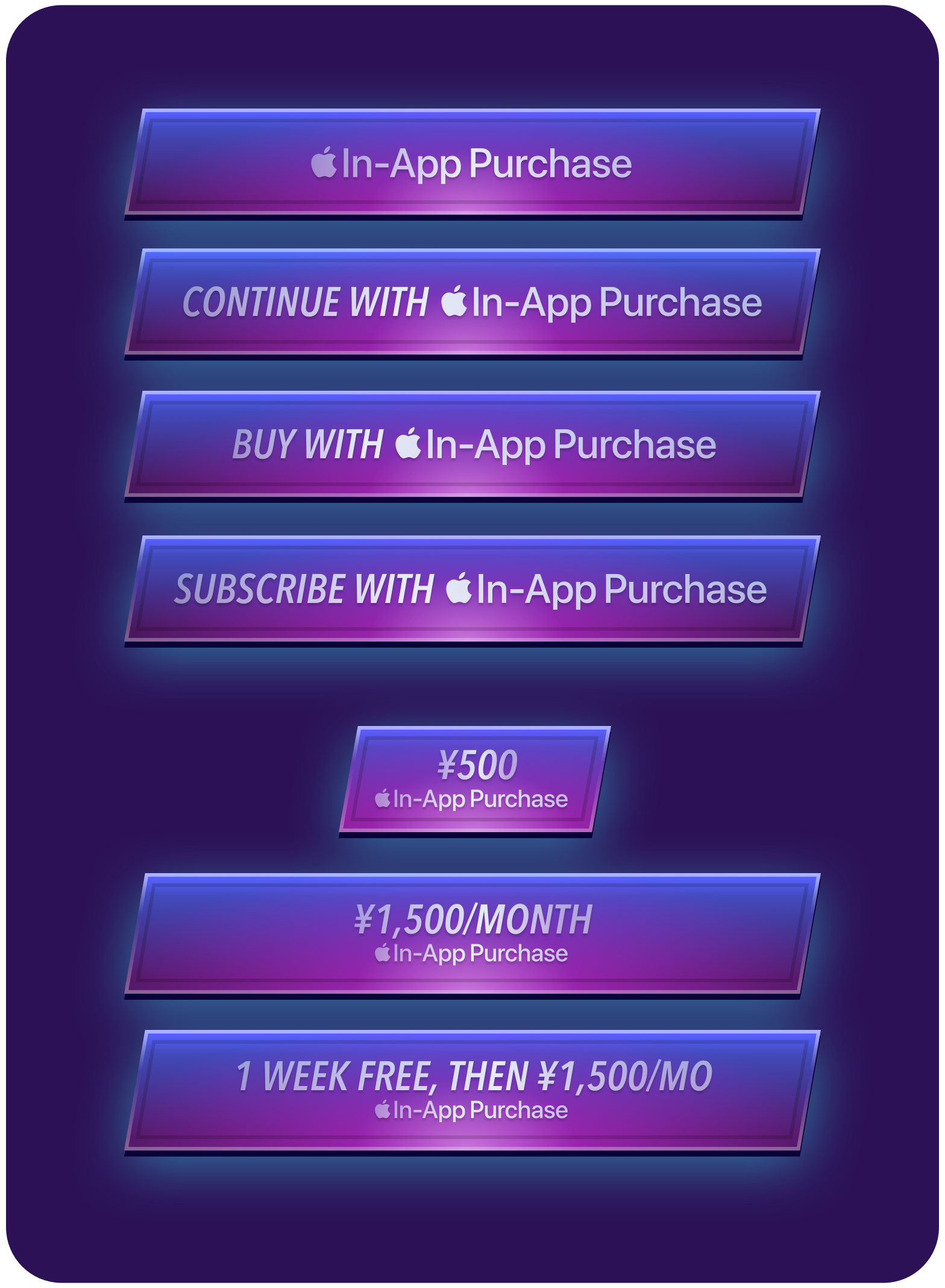
Custom buttons
Use the Apple In-App Purchase mark in your custom designed buttons.
Layout guidelines. To maintain brand consistency and the user experience of using Apple In-App Purchase, follow these style, typography, and layout guidelines when creating standard iOS style buttons.
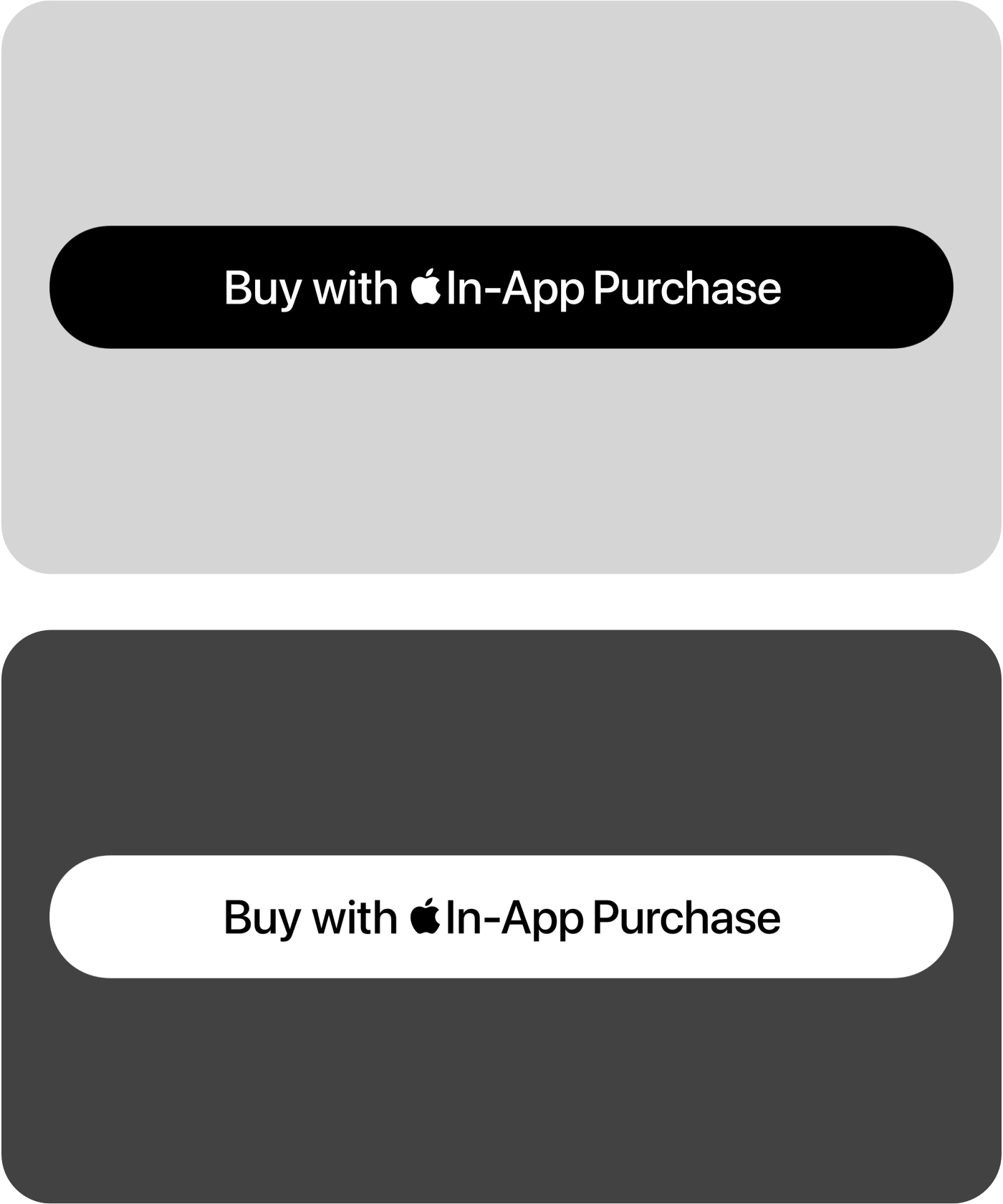
Color
Use the mark that best matches your UI in Light Mode and Dark Mode.
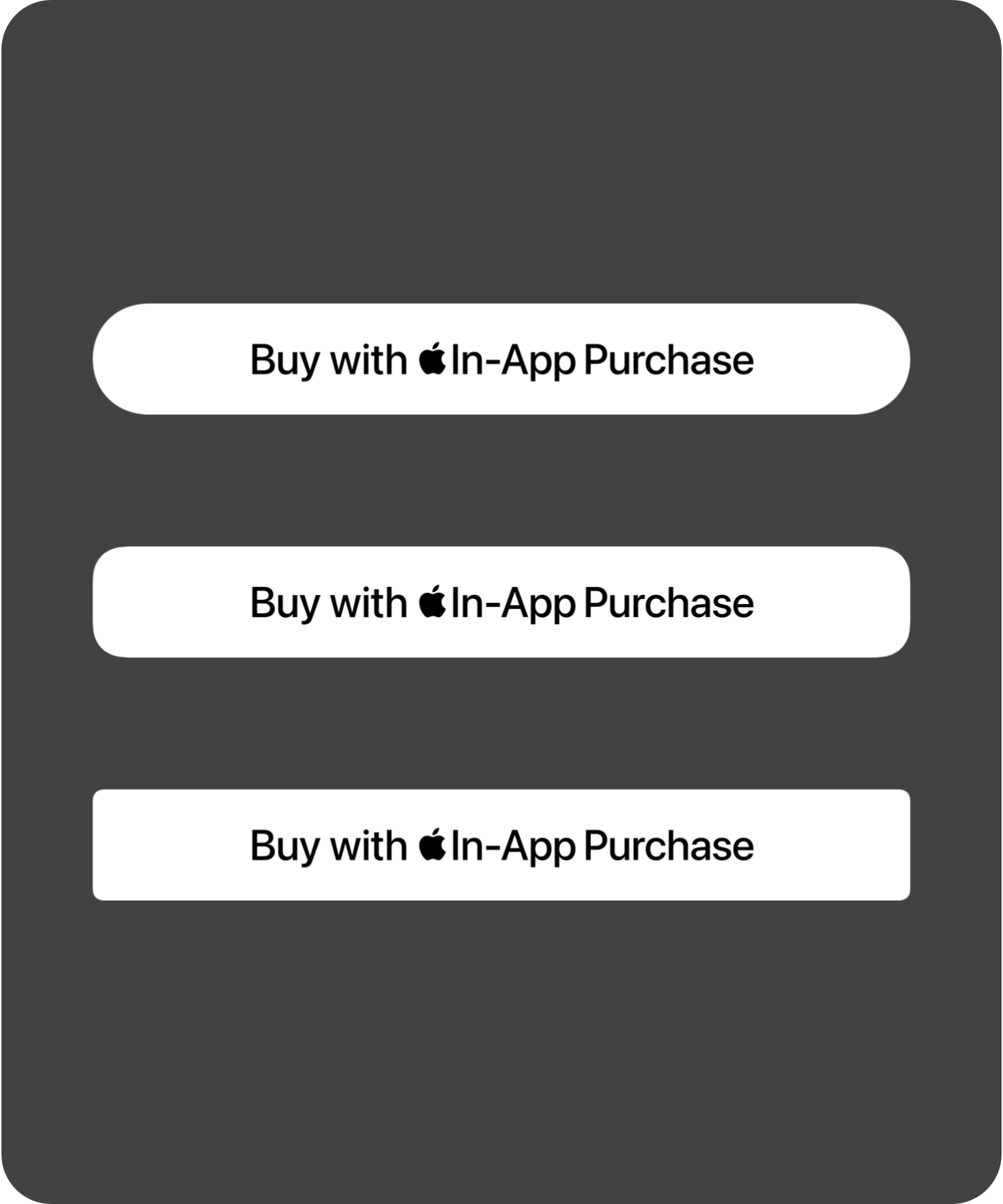
Corner radius
Customize the button corner radius to match your UI.
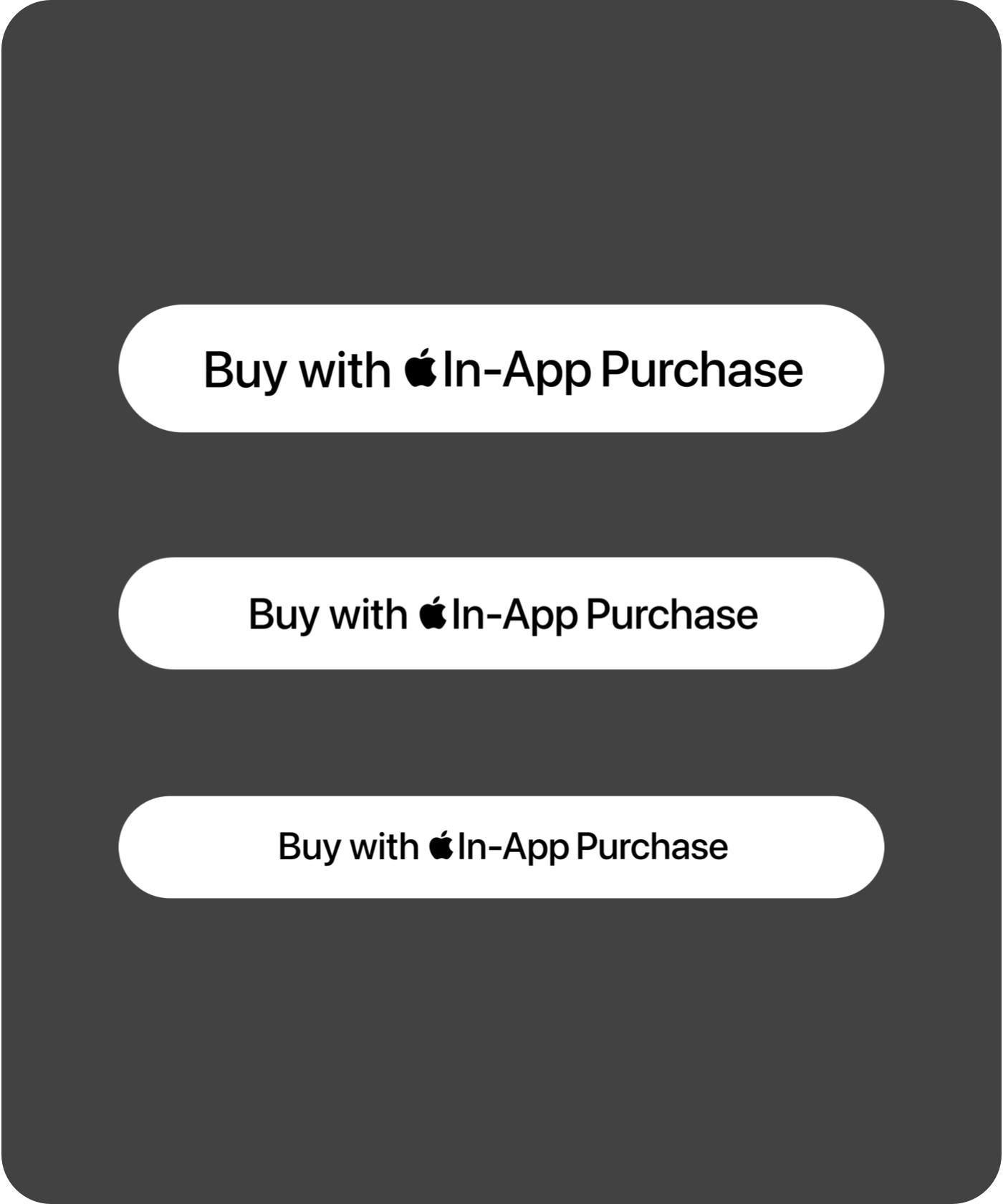
Font size
Ensure your button’s preceding or succeeding text matches the font size of the Apple In-App Purchase mark. Use a minimum font size of 15 pt.
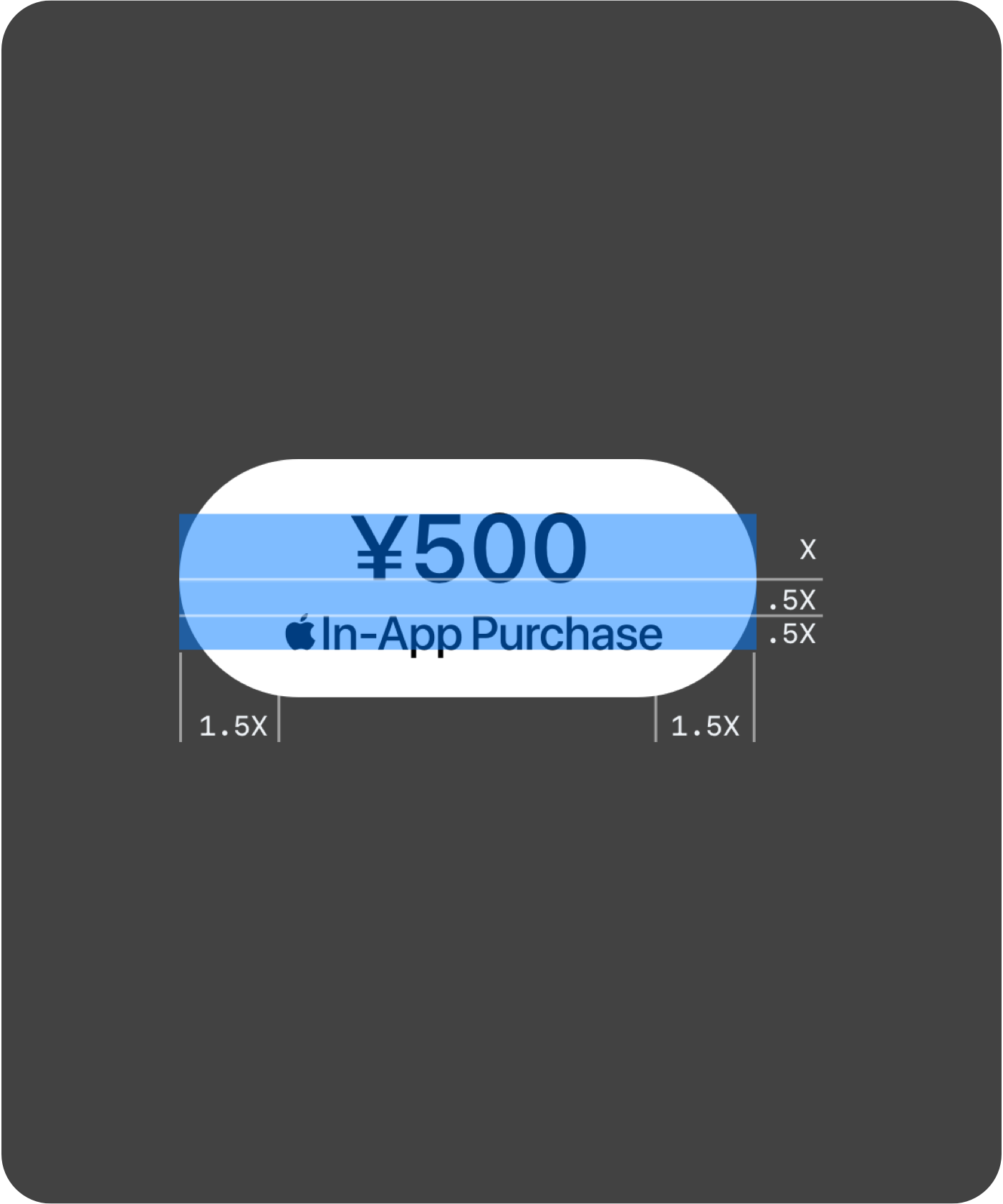
Pricing and margins
Height of the mark below a price should be at least 1/2 of price text height. Space between mark and price should be at least 1/2 of price text height. Maintain a minimum margin of 1/10 button height.
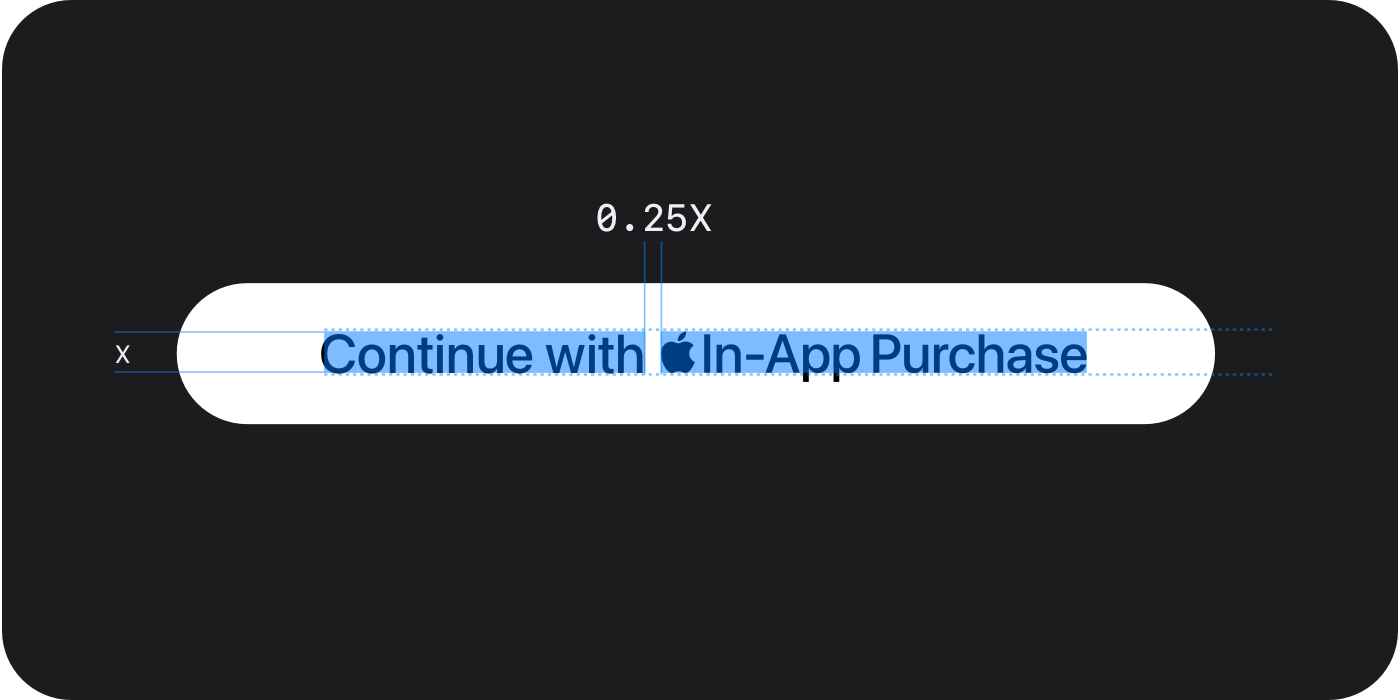
Alignment and spacing
Align the baseline of your button’s preceding or succeeding text to the baseline of the Apple In-App Purchase mark. The space between mark and text should be at least 1/4 of the font’s height.
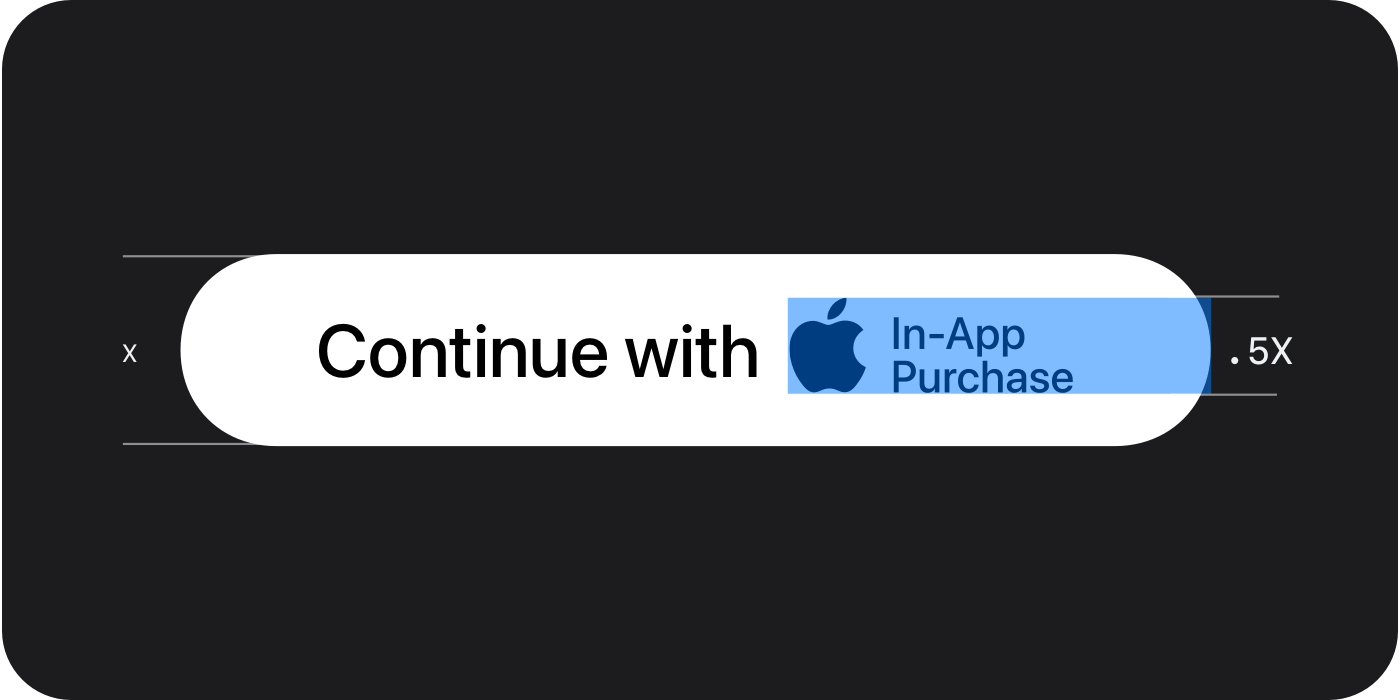
Two-line mark
The height of the Apple In-App Purchase mark should be at least 1/2 the height of the button.
User disclosures
To help users understand whether an app uses these alternatives, the App Store will display an informational banner on the app’s product page and a disclosure in the Information section, and the download confirmation will have an External Purchases notation. Apps that offer in-app payments with alternative payment processors, or out-of-app offers using an actionable link, must also present users with an in-app disclosure sheet informing them that they will be transacting with the developer and not Apple.
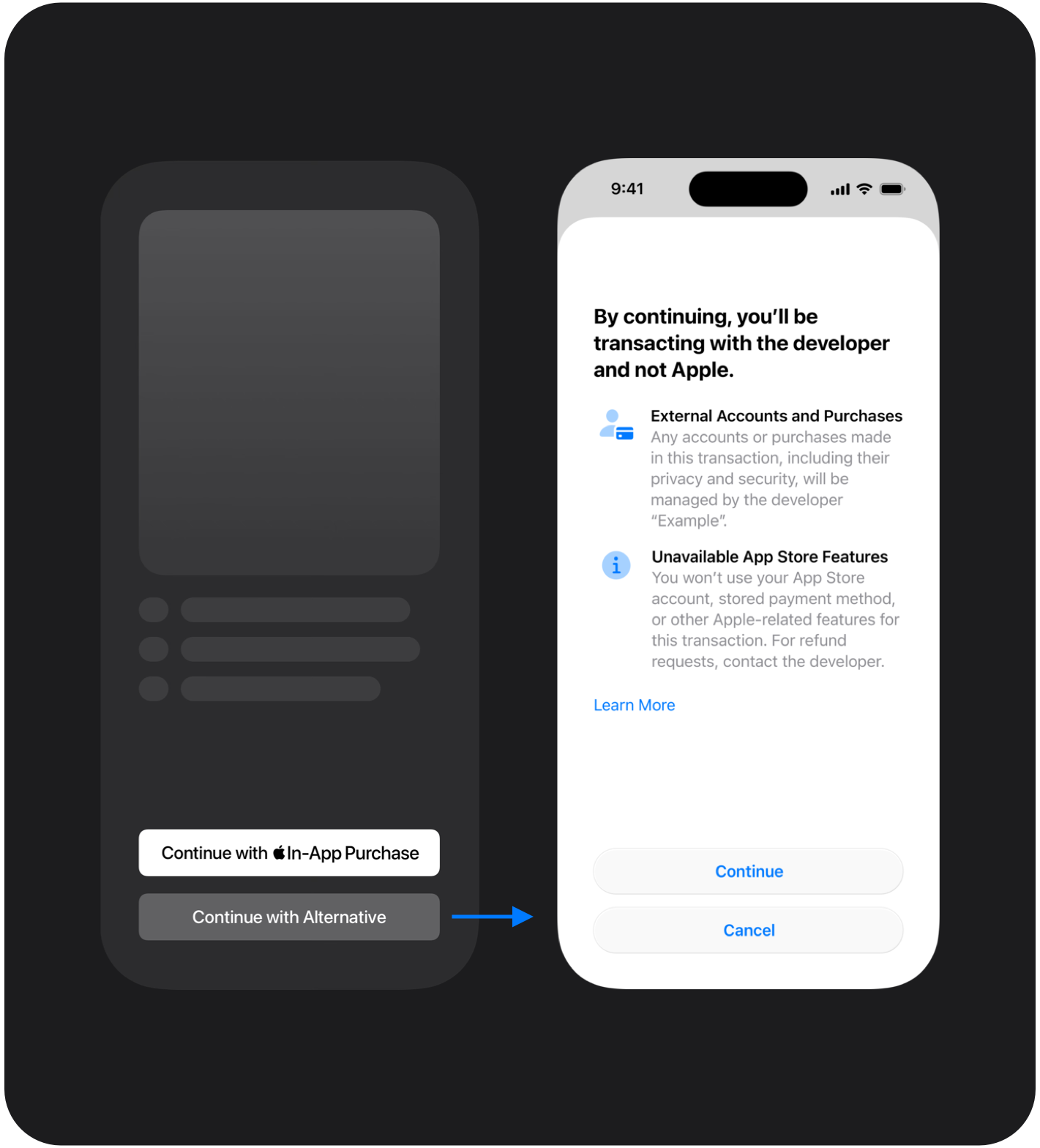
In-app disclosure sheet
In iOS 26.2, when using an alternative payment option, you must include an in-app modal sheet before routing the user to the payment option. You’ll need to implement the modal sheet using the Apple-provided design specifications and resources.

Alternative payments (within app)

Out-of-app offers
Coming this fall
System-provided disclosure sheet
In a future iOS release, your app will need to use a new StoreKit API to display a system-provided disclosure sheet that explains to the user they’ll be transacting with the developer and not Apple. The system-provided disclosure sheet will also include the ability for a user to opt out of showing the screen for future transactions in your app.

Alternative payments (within app)

Out-of-app offers
Child safety
The App Store is designed to be a safe and trusted place for everyone, including children. It offers a variety of features to help parents determine which apps, games, and content are appropriate for their kids, while providing a safe, fun, and enriching experience. Parents can expect that apps and games in the Kids category are age-appropriate, protect children's data, and use parental gates to limit certain actions. For additional control, parents can enable Ask to Buy to approve purchases and turn off purchases via Screen Time.
To better support children and teenagers using apps with alternative payment options, all apps that offer alternative payment options in Japan must adhere to the following requirements.
Apps in the Kids category
- Purchase flows within your app using an alternative payment processor must be preceded by a parental gate.
- Apps cannot provide an out-of-app offer to purchase on a website.
All other apps
- Apps outside of the Kids category must support parental purchasing controls and require parental consent when offering alternative payment options.
- For users under 13 years old, your app can offer purchase flows within your app using an alternative payment processor. It must provide those options behind a parental gate. It cannot provide an out-of-app offer to purchase on a website.
- For users between 13 and 17 years old, your app can provide an out-of-app offer to purchase on a website and offer purchase flows within your app using an alternative payment processor. Your app must provide these options behind a parental gate.
To determine at runtime whether a person can authorize payments, use canMakePayments in StoreKit. In a future software update, Apple will release new APIs to better support these requirements.
Entitlement and implementation
To offer alternative payment options in your apps, including both in-app payments with alternative payment processors and out-of-app offers (with or without an actionable link), you’ll need to use the StoreKit External Purchases or Offers Entitlement. If you're using in-app payments with an alternative payment processor, or directing users to out-of-app offers using an actionable link, you'll also need the StoreKit External APIs.
Configure and enable an entitlement in Xcode
Once you’ve configured your app’s App ID in Certificates, Identifiers & Profiles to include the entitlement, you’ll need to update your Xcode project and entitlements property list to list the entitlement and metadata. The entitlement profile is compatible with and may only be used in apps on the Japan storefront on iPhone running iOS 26.2 or later.
- Enable the entitlement in the Xcode Capabilities library or on the developer website.
- Provide the following values for the entitlements:
- Key:
com.apple.developer.storekit.custom-purchase-link.allowed-regions - Type: Array of strings
- Value: A single ISO 3166-1 alpha-2 country code value (jp) for Japan
- Key:
On the next build to your device or distribution request in Xcode Organizer, Xcode will detect that the .entitlements file and cached provisioning profile don’t match, and will request a new provisioning profile based on the latest App ID configuration to complete the code signing process.
Implement StoreKit External Purchase APIs
Prior to initiating an alternative purchase flow, your app:
- Must check the isEligible property of ExternalPurchaseCustomLink to determine whether external purchase is available. This check must be prior to displaying the disclosure sheet that explains to the user they’ll be transacting with the developer and not Apple.
- Must check canMakePayments before each flow to make a purchase or enter payment information. This call indicates whether the user is allowed to make payments.
Submitting to App Review
When submitting your new app binary for review in App Store Connect, make sure to follow these submission requirements as well as the App Review Guidelines and the Apple Developer Program License Agreement.
- Ensure your app is properly implemented and tested.
- If you use an alternative payment service provider (PSP), the name of your PSP should be included in the review notes. Make sure the PSP is ready to complete transactions from your app. Your PSP must:
- Meet Level 1 Payment Card Industry (PCI) compliance for handling credit and debit card data; and
- Make a customer service process available for users, including a process to dispute unauthorized transactions, manage subscriptions (if applicable), and request refunds.
If your submission is incomplete, review times may be delayed or your app may be rejected. Once your app has been reviewed, its status will update in App Store Connect and you’ll be notified.
Commissions, reporting, and payments
App Store commission
| Rate | Applies to |
|---|---|
| 10% | Transactions from participants in the App Store Small Business Program, Mini Apps Partner Program, and Video Partner Program. |
| 10% | Auto-renewable subscriptions after their first year. |
| 21% | Sale of digital goods or services (including using alternative payments within apps). Excludes transactions from program participants or auto-renewable subscriptions after their first year. |
Apple payment processing fee
| Rate | Applies to |
|---|---|
| 5% | Payments processed by Apple In-App Purchase. |
The total charge when using Apple In-App Purchase consists of two primary components—a commission and a separate payment processing fee (for payment processing and related commerce services). These rates apply to the price paid by the customer. The calculation of any applicable taxes is performed as per the Apple Developer Program License Agreement.
Store services commission
The store services commission is applicable when your app directs users to offers and promotions available outside of your app with actionable links that open in a web browser to a website for the purchase of digital goods and services. Only sales made within 7 days of the link tap are subject to this commission.
| Rate | Applies to |
|---|---|
| 10% | Out-of-app offers for relevant transactions from participants in the App Store Small Business Program, Mini Apps Partner Program, and Video Partner Program. |
| 10% | Out-of-app offers for relevant auto-renewable subscriptions after their first year. |
| 15% | Out-of-app offers. |
For purchases of digital goods or services on the App Store that don’t use Apple In-App Purchase, you’re responsible for the collection and remittance of any applicable taxes for sales processed by an alternative payment provider. You’re also required to track and send Apple a report of all alternative payment transactions for applicable commission fee calculation and collection purposes. Required reporting includes refunds, corrections, renewals, one-time purchases, and transactions that didn’t result in a purchase. This report will need to be provided monthly within 15 days following the end of the calendar month.
For apps running iOS 26.4 and later, use the External Purchase Server API to report transactions to Apple. For apps running iOS 26.2 and iOS 26.3, you’ll need to complete your reports following this example. For more information on how to send Apple your reports, contact us.
Invoices. Qualifying developers will receive a monthly invoice based on the reporting for commissionable transactions for digital goods or services for which commission or fees are owed. Transactions will be aggregated and commissions calculated by Apple by the 15th of the following month. You’ll need to provide payment within 30 days of receiving the invoice. For additional details, see App Store Connect Help.
Please note that Apple has audit rights pursuant to the terms and conditions in the Apple Developer Program License Agreement. This allows Apple to review the accuracy of a developer’s record of digital transactions as a result of the entitlement, ensuring the appropriate commission has been paid to Apple. Failure to pay Apple’s commission could result in the offset of proceeds owed to you in other markets, removal of your app from the App Store, or removal from the Apple Developer Program.
Supporting customers when using alternative payment options
If your app uses alternative payment methods for customers to purchase digital goods and services, it’s your responsibility to provide timely support to them if questions or issues arise. Apple won’t be able to assist customers with refunds, purchase history, subscription management, and other issues encountered when purchasing digital goods and services. You’ll be responsible for addressing these issues with customers directly.
Get started
Start by agreeing to the latest Apple Developer Program License Agreement.
The Apple Developer Program License Agreement has been updated to include new options and business terms for iOS apps distributed in Japan. To agree to these terms in your Apple Developer account, you’ll need to be the Account Holder of your membership.
By March 17, 2026, all current members of the Apple Developer Program will need to agree to the latest update to the Apple Developer Program License Agreement.
We’re here to help
If you have any questions about the new options now available in Japan, we’re here to help.